

Sarah stared at her desk, surrounded by failed prototypes—each one representing hours of handcrafting, sanding, and reworking. As an industrial designer, she’d spent countless nights perfecting parts only to realize they didn’t fit together properly. Then came the day she discovered 3D printing. Within minutes, she was holding a working model in her hands.
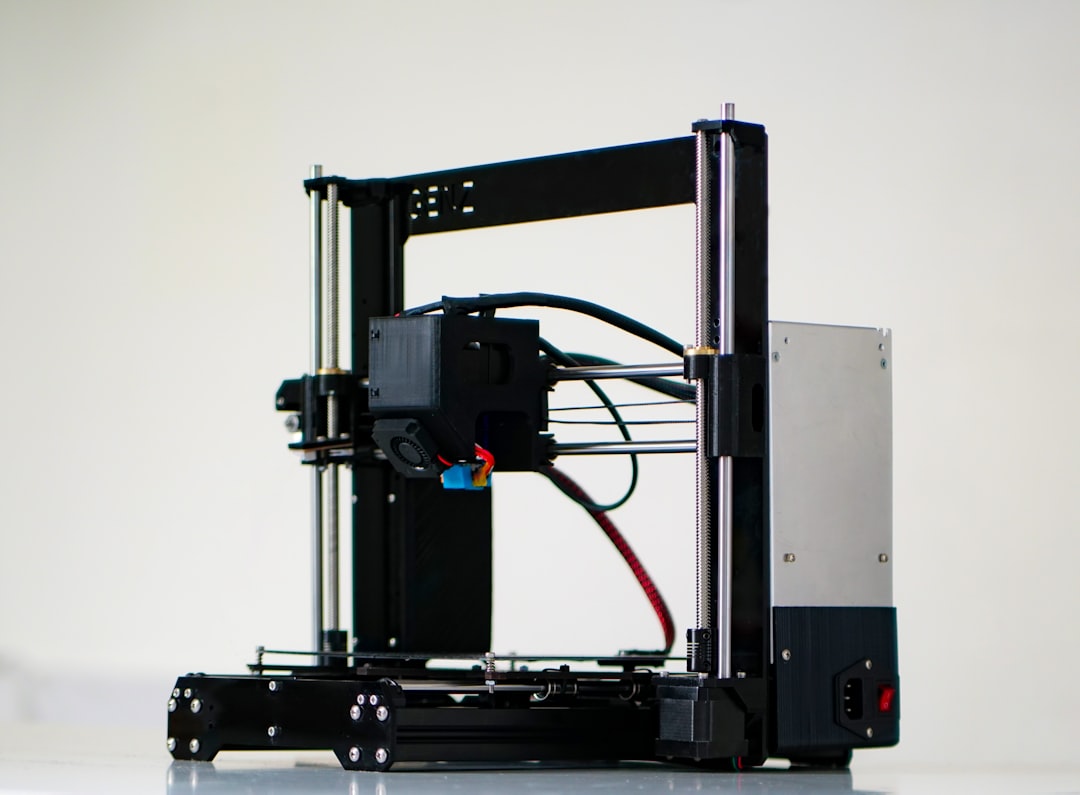
This wasn’t just faster—it was smarter. And more importantly, it opened up possibilities that no amount of manual labor could match.
The Evolution of Prototyping: From Clay Models to Digital Dreams
Prototyping used to mean carving, casting, or machining physical models—a slow, often frustrating process limited by material constraints and human error. But with the rise of digital fabrication technologies like 3D printing, prototyping transformed into something almost magical.
In its early days, 3D printing served niche markets—think aerospace engineers building turbine blades or medical professionals creating custom implants. But over time, as machines became cheaper and software easier to use, it trickled down to students, entrepreneurs, and DIY makers experimenting from their garages.
- Rapid iteration: Test your idea today, tweak it tomorrow.
- Customization: Every product needs to look identical.
- Low barrier entry: Affordable desktop printers democratized manufacturing.
Today, anyone with a design file can go from concept to object without ever touching a factory floor.
And now? We’re entering an era where automation and artificial intelligence are taking things even further—making prototyping not just faster but smarter too.
Case Study 1: Ford Motor Company’s Rapid Prototype Innovation
Ford adopted 3D printing in the late 2000s to accelerate vehicle component development. By integrating additive manufacturing with CAD modeling, they were able to reduce prototype production timelines from weeks to hours, enabling designers to test aerodynamics, ergonomics, and functionality within days instead of months. This revolutionized internal feedback cycles and significantly improved time-to-market metrics.
Real World Example: Local Motors’ Olli Project
Local Motors partnered with IBM Watson to create Olli, a self-driving electric shuttle designed entirely through crowdsourced ideas and 3D printed components. The project demonstrated how distributed digital collaboration and additive manufacturing could bypass traditional supply chains entirely. Users submitted concepts online, voted on final features, and saw their designs brought to life in under three days—all thanks to 3D printing capabilities.
Traditional prototyping forces you into rigid mold-making timelines and requires expensive tooling. With 3D printing, failure becomes a cheap experiment rather than a financial burden. You learn faster when mistakes cost less.
Automation Meets Additive Manufacturing
You might think 3D printing is already automated since you hit “print” and walk away. But true automation happens behind the scenes—from generating designs using AI algorithms to optimizing support structures during slicing processes.
Let’s break down which tasks in 3D printing and prototyping are getting automated—and what that means for learners like you:
- Design Generation via Generative Design Tools: Instead of designing manually, input parameters (like weight limits or load capacity), and let AI explore thousands of structural variations you wouldn’t have imagined otherwise.
- Support Structure Optimization: Once tedious trial-and-error work is being replaced by intelligent slicers that calculate ideal support placement automatically.
- Print Monitoring & Failure Prediction: Smart cameras and sensors detect layer inconsistencies mid-print so users don’t waste materials on failed builds.
- Post-processing Planning: Some systems suggest optimal finishing techniques based on part geometry and intended use case.
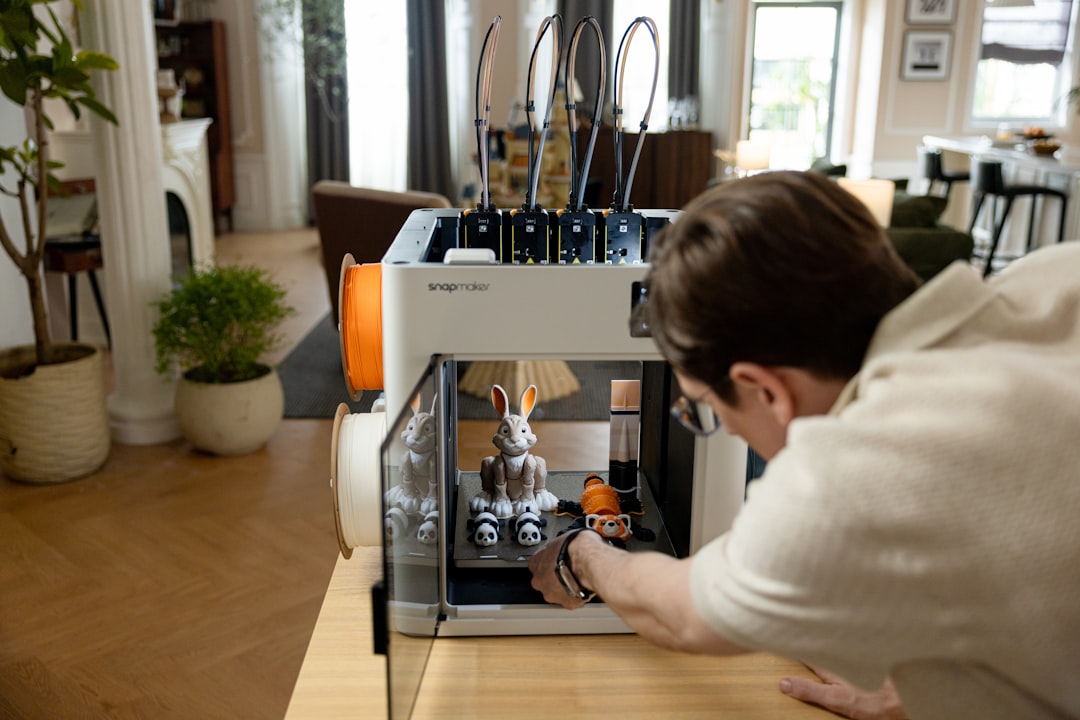
Imagine if Sarah had access to these tools five years ago—she’d probably be running her own studio by now. For self-taught creators looking to grow quickly, understanding these automations isn’t optional anymore; it’s essential.
Case Study 2: Autodesk’s Dreamcatcher Software
Dreamcatcher leverages generative design algorithms powered by cloud computing. Users define constraints such as maximum stress levels, available space, and loading conditions. The system generates hundreds of optimized topologies simultaneously. One notable application involved redesigning a drone frame—it reduced weight by 64% while increasing strength—an outcome previously unattainable through conventional methods.
How Exactly Does This Work?
- Generative Design Algorithms: These mimic evolutionary biology principles — starting with a base shape and iteratively modifying it until reaching peak performance based on defined criteria.
- Machine Vision Integration: Cameras monitor each layer deposition in real time. Any deviation triggers alerts, preventing catastrophic failures post-completion.
- Adaptive Slicing Engines: Unlike static code, adaptive systems adjust infill density, wall thickness, and layer height dynamically depending on part orientation and complexity—maximizing build quality while minimizing resource usage.
Traditional Prototyping vs. Modern 3D Printing
So how does modern 3D printing stack up against older methods such as CNC machining or vacuum casting?
| Criteria | Traditional Methods | Modern 3D Printing |
|---|---|---|
| Speed of Iteration | Moderate – Requires setup time and specialized operators | High – Files uploaded directly to printer with minimal oversight needed |
| Cost per Unit | Lower for large batches due to economies of scale | Higher upfront cost, but lower for small runs |
| Material Options | Vast range including metals, ceramics, and high-performance plastics | Limited compared to traditional options, though rapidly expanding |
| Geometric Complexity | Limited – Undercuts require extra steps like multi-part molds | Unlimited – Organic shapes impossible elsewhere become possible |
| Skill Required | High technical skill required | Moderate – User-friendly interfaces allow beginners to participate |
If you’re teaching yourself outside formal education channels, this comparison matters because each path offers unique learning opportunities:
- Hands-on machining teaches precision and material properties.
- Working with 3D printers gives insight into rapid feedback loops and iterative redesigns.
- Integrating automation tools exposes you to programming logic and algorithmic thinking.
Both approaches are valuable—but when combined intelligently, they give you incredible power as a creator.
Contrasting Examples: Aerospace Bracket Production
Aerospace suppliers traditionally relied on aluminum die-casting for brackets—an energy-intensive method requiring weeks-long lead times. Meanwhile, GE Aviation embraced metal 3D printing, reducing bracket count from 855 separate pieces to 12 assemblies. Time saved wasn’t just about faster output—it also allowed for integrated cooling channels and lighter weight structures impossible through casting alone.
Don’t view traditional and modern techniques as mutually exclusive. Use 3D printing for fast iteration and form validation, then transition promising prototypes to CNC machining for functional testing under realistic loads.
Self-Learning Resources That Make Automation Approachable
The exciting truth is that mastering automation in 3D printing has never been more accessible. You don’t need a degree—you just need curiosity and consistent practice.
To get started, here’s what I recommend incorporating into your routine:
- Open-source platforms like Thingiverse offer free project files alongside tutorials from experienced users sharing real-world challenges and solutions.
- Interactive simulation tools help visualize print behavior before committing material—especially helpful for avoiding warping or stringing errors common among novices.
- Tutorials focused on AI-augmented CAD programs will train you in next-gen design workflows where machine suggestions enhance creativity rather than replace it.
- Community forums and Discord groups connect learners around shared goals, troubleshooting problems collectively while building meaningful networks.
Also consider exploring resources offered through our course on 3D Printing and Prototyping, specifically crafted for independent learners ready to take control of their education journey.

One last tip: invest time upfront in understanding G-code basics—even if most slicing engines abstract it away. Why? Because knowing the underlying commands gives you confidence during debugging moments when automation fails.
Practical Tips for Effective Learning
- Start Simple: Begin with basic calibration cubes to understand bed leveling, extrusion settings, and dimensional accuracy before advancing to complex geometries.
- Use Simulation Before Printing: Programs like Cura and PrusaSlicer include layer preview modes. Review these first to catch potential issues like unsupported overhangs or uneven wall thickness.
- Join Hackathons: Events like Maker Faires expose learners to cutting-edge projects combining traditional craftsmanship with 3D printing innovations.
- Experiment With Multiple Materials: Each filament type behaves differently. Understanding PLA vs PETG vs TPU helps predict how your prints will perform in various environments.
Essential Skills Self-Taught Creators Should Prioritize
- CAD Modeling Fundamentals: Even basic proficiency in Fusion 360 or Tinkercad enables rapid digital experimentation crucial for effective prototyping.
- Data Interpretation: Learn to read temperature logs, speed reports, and layer diagnostics provided by modern slicing engines to make informed adjustments mid-process.
- Project Documentation: Maintain records of successful prints including settings used and outcomes achieved. This builds institutional knowledge invaluable for scaling future projects independently.
Challenges That Still Need Your Human Touch
Despite all the progress, there are still areas where human intuition beats machines:
- Deciding whether a feature adds value or just visual flair
- Judging surface finish requirements beyond mechanical function
- Selecting materials wisely given trade-offs in strength, flexibility, and aesthetics
- Evaluating ergonomics of form factors involving user interaction
In other words… yes, automation handles repetitive tasks brilliantly. But creative decisions remain yours alone.
That makes learning both sides—the tech side AND the artistic side—even more critical if you want full ownership of your creations.
Example: Biomedical Implant Customization
Medical device companies rely heavily on 3D scanning data fed into AI-driven modeling pipelines to produce patient-specific prosthetics. However, determining acceptable tolerances, surface roughness standards, and bio-compatible coating applications still require clinical expertise and regulatory judgment—all elements currently beyond AI autonomy.
Even advanced AI cannot account for subjective human experiences like comfort or aesthetic appeal. Combine automated design outputs with user-centered review stages to ensure end-results resonate emotionally as well as technically.
What Lies Ahead for Learners in This Space
We stand on the brink of something transformative. Imagine designing a product tailored perfectly to your body measurements using biocompatible polymers produced locally via mobile printers. Or envision smart slicing engines that adapt in real-time based on ambient temperature changes detected mid-build.
None of this is science fiction. It’s emerging now—and individuals learning on their own terms may well lead the charge forward.
As we continue pushing boundaries across materials science, robotics integration, and machine learning applications, those equipped with practical experience today will shape tomorrow’s innovations—not wait to be taught them later.
We’ve come a long way since clay models and lathes, yet the best part is yet to come.
Future Trends Shaping Tomorrow’s Prototypers
- Bio-Inspired Design Systems: Nature-inspired algorithms derived from honeycomb patterns, bone microstructures, and plant growth cycles are influencing architectural and aerospace engineering projects alike.
- On-Demand Distributed Manufacturing: Cloud-connected printers enable remote collaboration between designers and manufacturers, eliminating geographic barriers that once slowed global innovation.
- Multi-Material Printing: Simultaneous extrusion of diverse substances opens doors to embedding electronics, optics, or flexible joints directly during the build stage—an approach gaining traction in wearable tech and IoT devices.
Ready to take control of your prototyping journey? Enroll in our comprehensive 3D Printing and Prototyping Course designed specifically for independent learners ready to master automation tools and elevate their creative process.