

In an era where efficiency can literally save lives, many healthcare institutions still rely on outdated documentation systems that bog down their teams in inefficiency.
What if your medical documentation workflow could adapt to you — rather than the other way around? Imagine records that auto-fill based on patient history, alerts that predict potential oversights, and templates that evolve with each case. This isn’t science fiction; it’s customization made possible by building your own tools.

The Status Quo: What’s Holding You Back?
If you’ve ever filled out redundant forms or hunted across multiple platforms for a single patient record, you’re not alone.
Prebuilt Electronic Health Records (EHRs), while functional, often come with rigid structures that don’t align with every practice’s unique needs. They may offer basic template options, but when workflows deviate even slightly, these systems can become more of a hindrance than help.
- Bloated interfaces that slow down data entry
- Limited interoperability with external systems
- Poor integration with voice-to-text or AI-powered scribes
- One-size-fits-all reporting dashboards that fail to capture specialty-specific metrics
- Static templates unable to reflect evolving clinical guidelines
- Clunky workflows that force clinicians to input the same data repeatedly across modules
This is especially frustrating for specialists and niche clinics whose requirements fall outside those predefined structures. outside standard EHR frameworks.
Instead of trying to fit square pegs into round holes, what if we built our own solution?
Real-World Example #1: Neurology Practice Struggles with Generic EHR
A mid-sized neurology group transitioned to a prebuilt EHR expecting streamlined workflows. However, after implementation, they realized the system had no native support for tracking complex neurological scales used in multiple sclerosis monitoring. Staff resorted to entering scores manually into spreadsheets before copying them into the EHR—an inefficient workaround that increased error rates and delayed report generation.
Real-World Example #2: Pediatrician Burdened by Irrelevant Fields
Dr. Maria Lopez, a family pediatrician, found her new EHR loaded with irrelevant adult-focused fields like cholesterol levels and prostate exams. She was spending twice as much time removing unnecessary components from patient summaries compared to filling out actual clinical findings—a clear mismatch between generic design and specialized use cases.
Real-World Example #3: Emergency Department Data Overload
An urban emergency department adopted a widely-used commercial EHR hoping to enhance triage efficiency. Unfortunately, the interface flooded doctors with too many pop-up notifications unrelated to critical status changes. During peak hours, this caused important alerts regarding deteriorating patients to be missed amid clutter—leading to delays in life-saving interventions.
Enter Custom-Built Tools: A Shift Toward Smarter Systems
Creating custom documentation tools means designing systems tailored specifically to how your team works. Whether you’re managing chronic conditions at scale or running a high-volume urgent care center, having control over structure, logic, and automation provides transformative flexibility.
“The best system is one that disappears into the background.”
Here’s the thing: developing a custom platform doesn’t require reinventing the wheel. Rather, it’s about taking modular components—forms, triggers, integrations—and arranging them so they support your clinical decisions seamlessly.
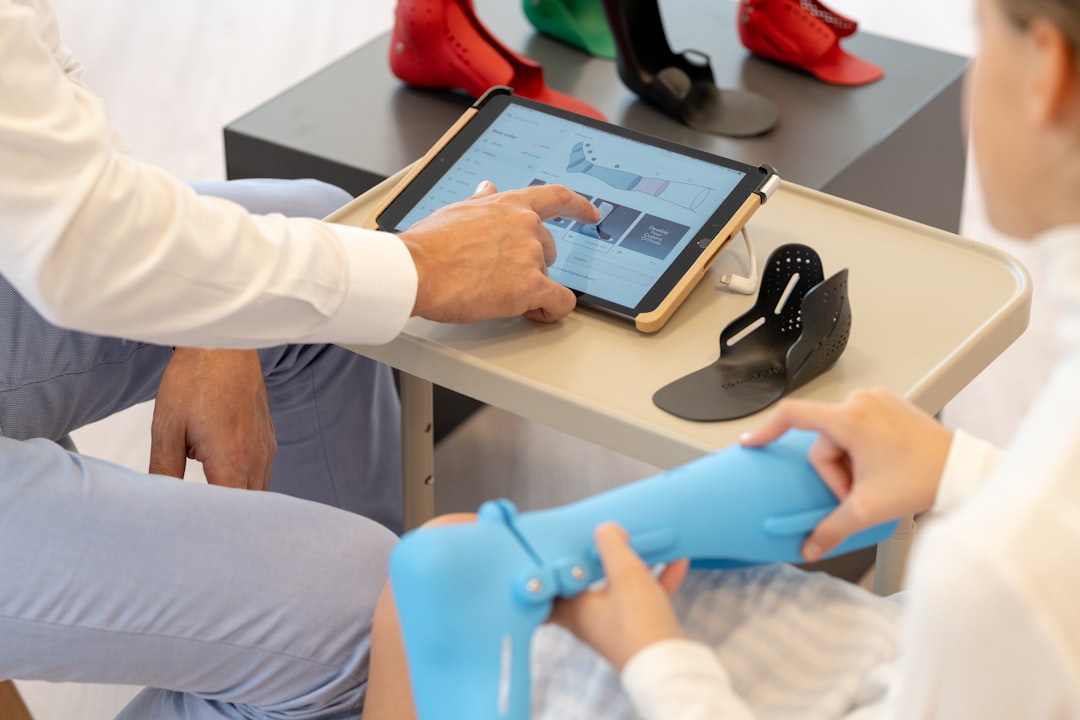
Why Build Instead of Buy?
While off-the-shelf software does have its place, there are compelling reasons why forward-thinking practices are investing in personalized solutions:
- Process Alignment: Every step reflects actual work patterns, reducing friction during daily operations.
- Data Ownership: You retain full access and control over sensitive information without vendor lock-ins.
- Rapid Adaptation: As regulations shift or new protocols emerge, tweaks happen quickly and in-house.
- Cost Efficiency Over Time: Though initial investment may be higher, long-term maintenance costs drop significantly compared to recurring licensing fees.
- Enhanced Security Control: Self-managed environments provide granular permission settings and audit trails aligned with HIPAA compliance requirements.
- Scalability Options: Systems grow organically alongside organizational expansion instead of requiring costly enterprise-level upgrades prematurely.
- Workflow Optimization Capabilities: Built-in analytics track usage trends allowing optimization before inefficiencies compound.
This approach also opens doors to integrating emerging technologies—like natural language processing or machine learning—that legacy vendors haven’t yet embraced fully.
Real-World Example #1: Oncology Clinic Builds Patient-Centric Dashboard
Facing fragmented data sources across labs, imaging centers, and pharmacy networks, an oncology clinic created a unified dashboard that pulls key indicators into a single view. Physicians reported faster decision-making and improved treatment plan adherence since vital stats were now immediately accessible within minutes—not buried under layers of unrelated tabs.
Real-World Example #2: Rural Hospital Implements Speech-to-Structured-Record
Due to staffing shortages, a rural hospital couldn’t afford transcription services nor additional coders. Their internal developers configured open-source speech recognition APIs tied to standardized field mappings inside their homegrown EHR. Clinicians began dictating directly into structured note sections, dramatically increasing productivity while maintaining billing accuracy—a win-win scenario made possible only via customization.
Real-World Example #3: Mental Health Center Designs Confidentiality-Focused UI
Recognizing the need for ultra-sensitive record handling, a mental health facility coded strict visibility controls into their notes module. Only authorized users saw flagged sections, ensuring client confidentiality remained paramount. Additionally, they embedded encrypted messaging features enabling therapists to collaborate securely—all integrated within the same environment they already knew well.
Key Components of a Smart Custom Solution
So what goes into building such a system? Let’s walk through core elements that make custom-built documentation both effective and sustainable:
- Template Logic Engine: Allows dynamic fields that show/hide based on prior inputs or patient demographics.
- Smart Alerts System: Flags inconsistencies or overdue follow-ups automatically, improving accuracy and timeliness.
- Voice Integration Layer: Enables clinicians to dictate notes directly into structured formats, saving time without sacrificing quality.
- API Connectivity Hub: Connects various departmental databases for comprehensive view of patient journey.
- Automated Coding Assistants: Cross-reference diagnoses against ICD-10 codes offering suggestions validated via CMS rule sets.
- Patient Portal Sync Module: Pushes post-visit summaries and appointment reminders straight to consumer-friendly portals with minimal delay.
- Mobile Offline Access Functionality: Stores local copies synced later upon reconnection, crucial for remote clinics or traveling practitioners.
You might be wondering: Is this feasible without hiring a dedicated development team? Not necessarily. With low-code/no-code platforms now available, non-developers can design surprisingly robust tools themselves—with guidance.
Before-and-After Scenarios: Real Impact Stories
To understand the true value of customized documentation tools, let’s look at two contrasting scenarios:
BEFORE: A small cardiology practice uses a general-purpose EHR. Doctors complain about excessive clicks per note, nurses duplicate lab values manually, and coding errors increase due to lack of visibility across departments. Time spent on charting eats into face-to-face consultations.
AFTER: Same clinic implements a custom-built interface featuring smart dropdown menus linked to previous visits, integrated medication reconciliation checks, and instant syncing with lab systems. Result? Significant reduction in charting hours, fewer mistakes, better continuity of care, and happier staff overall.
Sometimes, the difference comes down to something as simple as rearranging fields—or automating repetitive tasks altogether.

Case Study #1: Orthopedic Surgery Team Streamlines Preop Assessments
An orthopedic surgery team replaced paper-based intake forms with mobile-enabled digital questionnaires embedded into their custom EHR. Patients completed these surveys prior to arrival, auto-populating demographic and baseline mobility scores directly into physician encounter templates. This freed surgeons up nearly 20 minutes per consultation previously lost to manual data collection—a game-changing shift toward proactive engagement.
Case Study #2: Community Pharmacy Integrates Prescription Monitoring
Using open APIs from state PDMPs, a chain of community pharmacies built internal alerts detecting overlapping opioid prescriptions. Whenever a controlled substance request overlapped with another prescriber’s recent fills, pharmacists received immediate prompts checking for misuse risk factors. This reduced accidental polypharmacy incidents by over 35% annually—an outcome impossible under standard PBM-integrated dispensing apps alone.
Case Study #3: Telehealth Startup Automates Consent Capture
To handle thousands of virtual appointments weekly, a telemedicine startup developed automated video consent protocols capturing signature confirmation directly within session logs. These recordings were timestamped and linked back to associated visit metadata, eliminating legal ambiguities related to informed consent disputes. The result was seamless compliance assurance coupled with enhanced patient trust in digital interactions.
Navigating Challenges Without Losing Focus
Of course, no transformation is without hurdles. Common challenges include:
- Initial setup complexity and staff training curve
- Maintaining compliance with evolving government standards
- Security concerns around self-hosted or modified platforms
- Budget constraints limiting resource allocation during pilot phases
- Resistance from legacy stakeholders reluctant to abandon familiar processes
- Time-intensive testing needed to prevent disruptions post-deployment
- Risk of feature creep if user feedback cycles aren’t carefully managed
These are valid concerns—but none insurmountable. By partnering with regulatory advisors early and choosing secure-by-default development models, most risks can be mitigated effectively. Moreover, user feedback loops built into iterative designs ensure ongoing usability improvements without disrupting service delivery.
Remember: perfection isn’t required at launch. Starting lean and adding features progressively often yields stronger outcomes than attempting everything upfront.
Pitfall Alert: Don’t Underestimate User Adoption Needs
Even technically flawless implementations can stall if end-users aren’t adequately onboarded. For instance, transitioning from handwritten charts to fully digitized workflows involves psychological adjustments beyond technical mastery. Best practices involve starting with volunteers who champion adoption among peers, followed by staged rollouts paired with just-in-time troubleshooting resources to minimize frustration.
Compliance Tip: Embed Regulatory Updates Proactively
Rather than retrofitting new mandates after release, embed compliance-checking features directly into template logic engines. For example, when federal quality measures change, programmatic updates propagate across all applicable sections instantly—ensuring alignment without requiring manual revisions across countless entries.
Getting Started: Practical First Steps
Curious about whether custom documentation tools could benefit your setting? Begin by mapping current bottlenecks:
- List repetitive actions that waste clinician time
- Identify areas prone to error or missing information
- Note moments where communication breaks down between departments
- Document frequently requested reports or queries currently done manually
- Evaluate current system downtime frequency and recovery times
- Survey frontline workers anonymously to uncover hidden frustrations
Next, explore existing no-code platforms designed for healthcare applications. Many allow drag-and-drop customization along with API linking capabilities suitable for mid-sized teams.
And for those seeking deeper expertise, consider enrolling in our course at Medical Documentation. It walks professionals through documentation fundamentals while introducing modern implementation strategies—including tool-building basics—to prepare you for future-ready environments.
Platform Comparison Snapshot
When evaluating platforms, compare key attributes side-by-side:
- User Interface Customizability: Can layouts mirror established workflows visually?
- Security Standards: Do certifications match your institution’s minimum thresholds?
- Integration Support: How easily does the platform connect to HL7/FHIR endpoints?
- Deployment Speed: Will changes take weeks or minutes to go live?
- Community Resources: Are forums or expert consultants readily accessible?
Thinking Beyond Tools Alone
Ultimately, the power lies not just in the tech itself—but in understanding how to optimize it for maximum impact. Custom tools give providers agency: to redefine processes, improve decision-making speed, and reclaim precious minutes in each interaction.
Would others in your network benefit from knowing how adaptable documentation systems can transform their day-to-day? Share this insight—they might surprise you with ideas of their own!


