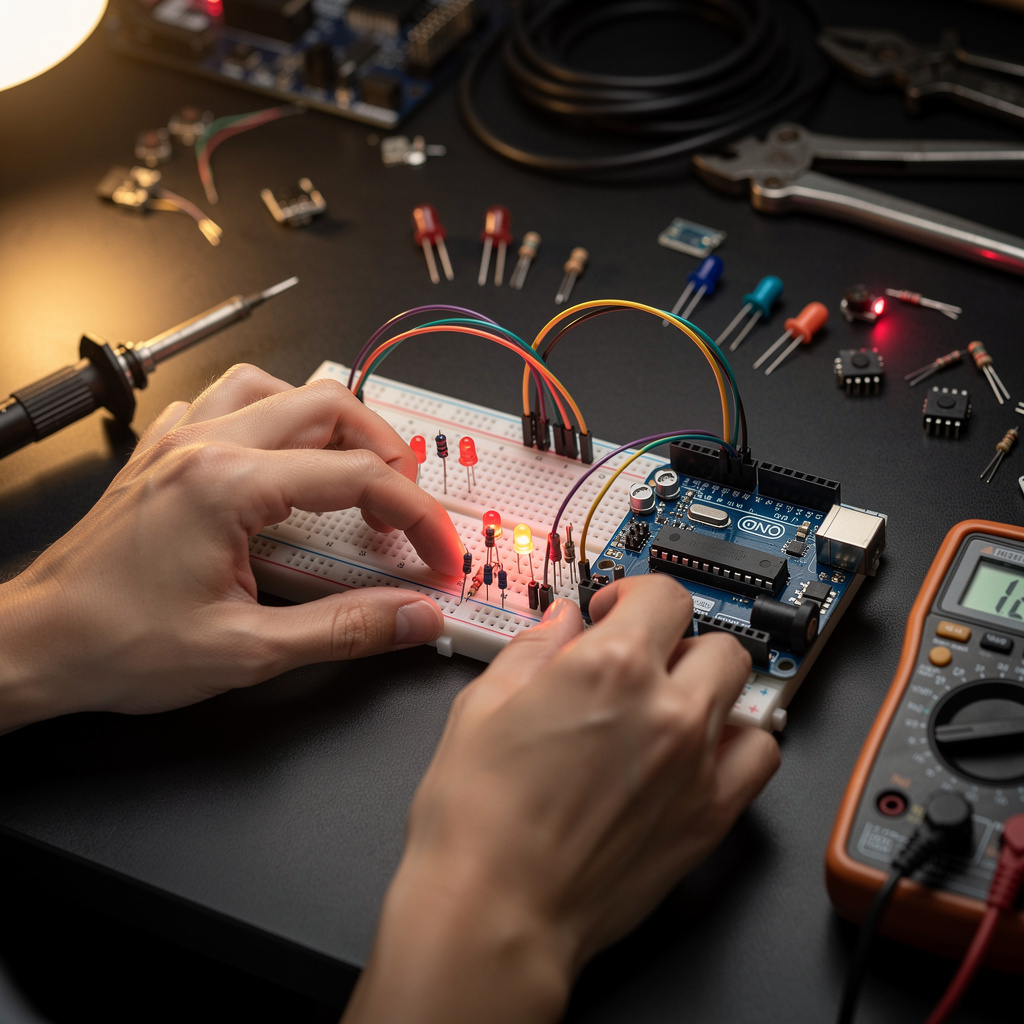
What is Arduino Projects?
Arduino Projects Training
Arduino Projects certificate program is a hands-on training that teaches you to build interactive electronic systems using the Arduino platform. You will start by setting up the Arduino board and IDE, then progress through basic electronics, breadboard circuits, digital inputs and outputs, analog signals, and serial monitoring. The course also covers pulse width modulation, environmental and motion sensors, LCD and OLED displays, motors, and motion control. It is designed for beginners, hobbyists, educators, and professionals who want to prototype smart devices, and the main practical outcome is a fully documented capstone project that integrates wireless remote control and Wi-Fi cloud connectivity.
The program is structured as a beginner-friendly progression, balancing short theory explanations with extensive hands-on practice on real circuits. It builds four core skill areas: electronics fundamentals, embedded programming, sensor and actuator integration, and communication protocols including wireless and cloud. Each lesson from board setup to sound, light, and interactive projects reinforces the previous one, culminating in a capstone that requires integration and documentation. Choosing this program now makes sense because Arduino skills are in high demand for rapid prototyping, IoT development, and automation, and the low-cost open-source ecosystem lets you turn ideas into working devices quickly.
What is Arduino Projects?
Arduino Projects refers to the practice of designing, building, and programming interactive electronic systems based on the Arduino open-source microcontroller platform. The subject covers core concepts such as digital and analog input/output, pulse width modulation, serial communication, sensor interfacing, and actuator control. It also encompasses display technologies like LCD and OLED, motor drivers, wireless modules, and Wi-Fi cloud integration. In scope, it ranges from simple blinking LED circuits to complex environmental monitoring and remote-controlled robots. The essence is combining hardware and software to sense the physical world and respond to it.
Arduino Projects matter today because they democratize electronics and embedded systems, enabling rapid prototyping across industries from consumer gadgets to industrial automation. In academia, they are a standard tool for teaching STEM, mechatronics, and computer engineering, while in industry they accelerate proof-of-concept development for IoT products and smart sensors. Recent shifts toward low-power microcontrollers, cloud connectivity, and edge computing have expanded Arduino's role in remote monitoring and data-driven applications. The maker movement and open-source hardware communities continuously contribute libraries and shields, keeping the platform relevant. As physical computing becomes more integrated with AI and wireless networks, Arduino skills provide a practical entry point.
Mastering Arduino Projects builds a versatile skill stack that includes circuit design, embedded C++ programming, debugging with serial monitors, and system integration. Learners develop the ability to read datasheets, select components, and architect reliable interactions between sensors, actuators, and communication modules. These skills benefit professionals in product prototyping, robotics, home automation, and interactive art, as well as educators and researchers who need custom data collection tools. Personal contexts such as DIY home monitoring or wearable gadgets also thrive with this knowledge. The subject ultimately empowers individuals to move from consuming technology to creating it.
Common Questions About Arduino Projects
Does the Arduino Projects certificate help my CV as a beginner?
Is this Arduino Projects course suitable if I have zero electronics experience?
Why does a 10-bit ADC stop at 1,023 when reading analog signals?
- Resolution: 1,024 steps over a 5 V range means each step covers roughly 4.9 mV, so changes smaller than that vanish.
- Zero-based counting: the first step is 0, not 1, which is exactly why the ceiling is 1,023 and not 1,024.
- From volts to counts: the ADC returns a number, and your code decides what voltage that number represents.
- Only A0 through A5: on a classic board those are the pins wired to the converter; a plain digital pin cannot measure a voltage at all.
What is duty cycle in PWM and how does it fake an analog voltage?
Why should a DC motor never connect directly to an Arduino pin?
What is the difference between DHT11 and DHT22 environmental sensors?
- DHT11: the cheaper option, fine for basic indoor readings, but with a narrower measurement range and coarser resolution.
- DHT22: wider range and finer resolution at a higher price, which matters when conditions drift outside a comfortable room.
- Shared limit: both answer slowly, roughly once every couple of seconds, so neither is suited to fast-changing conditions.
Is Arduino Projects just wiring without real programming or electronics?
What Will This Course Bring You?
- Configure the Arduino board and IDE, then upload and debug a basic sketch to verify the development environment.
- Build breadboard circuits with resistors, LEDs, and buttons while applying Ohm's law and safe wiring practices.
- Implement digital input and output programs that read button states and control LEDs using conditional logic and debouncing.
- Analyze analog sensor readings through the serial monitor and calibrate thresholds for responsive environmental or motion detection.
- Apply pulse width modulation to control servo motors and LED brightness, evaluating duty cycle effects on actuator behavior.
- Design an interactive project using sound, light, and motion sensors, then integrate an LCD or OLED display for live feedback.
- Construct a Wi-Fi or wireless remote-controlled Arduino system that transmits sensor data to a cloud dashboard for monitoring.
- Integrate multiple Arduino components into a documented capstone prototype, explaining wiring, code, and test results clearly.
Curriculum
12 Units1. Arduino Board and IDE Setup
1 hour
2. Basic Electronics and Breadboard Circuits
1 hour
3. Digital Inputs and Outputs
1 hour
4. Analog Signals and Serial Monitor
1 hour
5. Pulse Width Modulation and Actuator Basics
1 hour
6. Environmental and Motion Sensors
1 hour
7. Displaying Data with LCD and OLED
1 hour
8. Motors and Motion Control
1 hour
9. Sound, Light, and Interactive Projects
1 hour
10. Wireless Remote Control
1 hour
11. Wi-Fi and Cloud-Connected Projects
1 hour
12. Capstone Integration and Documentation
1 hour
Exam – Arduino Projects
20 Questions • 70% Pass • 30 min
Unlock All Units for Free
Create an account, enroll in the course, and start with the first unit right away.
Exam – Arduino Projects
20 Questions • Pass: 70% • 30 min
Course Duration
720
Total Minutes
12
Unit
1
Final Exam
~60
Min / Unit
Arduino Projects Certificate Program
Document Your Skill
Those who pass the 20-question, 30-minute exam with 70% receive the Arduino Projects Certificate.
Stand Out on Your CV
By adding your certificate to your CV, gain a professional reference in job applications and stand out from the crowd.
Career Advantage
With the verification code, employers can check your certificate instantly — a concrete way to show your growth.
CERTIFICATE FEE
At the end of the course, an online exam consisting of 20 questions with a 30-minute time limit is given. The exam appears automatically after you complete the topics. Anyone who scores at least 70 out of 100 on the certificate exam is awarded the Arduino Projects Document (certificate of attendance). You can add the certificate you earn to your CV for job applications in the many sectors listed above, and use it as a reference proving that you took this interactive course.
The Certificate of Achievement you receive with the Arduino Projects course program holds value that proves your personal and professional development in the business world. By adding it to your CV, it can serve as an important reference in your job applications. Moreover, compared with certificates from other private training institutions, Catch Wisdom certificates are offered to our participants at a much more affordable price.
The Arduino Projects course certificate is a document that proves, with a unique verification code, that you completed the course. Employers can instantly check its authenticity with this code, which helps you show your development concretely in your job applications.
For more information, we recommend visiting the Support page.
Certificate in 7 Languages
Earning success certificates from our courses is now more meaningful and global. With certificates available in Turkish, English, German, French, Spanish, Arabic, and Russian, we fully unlock the potential of students worldwide.
Why Certificate in 7 Languages?
-
01
Global Skill Development
Receiving your certificates in 7 different languages strengthens your communication skills as you engage with more people worldwide. It lets you operate more confidently and capably on the international stage.
-
02
International Job Opportunities
Employers may see your certificates in multiple languages as a sign of your ability to seize global opportunities. You can open more doors to new jobs and projects.
-
03
Cultural Richness
The chance to earn certificates in different languages helps you build closer ties with various cultures and broadens your worldview. It enriches your global perspective and deepens cultural understanding.
-
04
Ability to Participate in International Projects
Multilingual certificates give you an edge to work more effectively on international projects. They boost your chances of leadership and participation in diverse projects in the business world.
-
05
Prove Yourself on the Global Stage
Certificates in multiple languages give you the opportunity to present your skills and knowledge worldwide.
Language diversity opens worldwide opportunities. If you want to prove yourself in the international arena, join our online Arduino Projects course program and begin this journey with us.
Frequently Asked Questions (FAQ)
Is this course paid?
How do I join the course?
Can I take the course at my own pace?
How can I get my certificate?
What are the advantages of the certificate?
Boost Your Career
Take a new career step with the Arduino Projects course. Add your certificate to your CV, stand out in job applications, and open the door to new opportunities in the industry.
StartStudent Reviews
No reviews yet
Enroll in this course and be the first to leave a review about your experience with Arduino Projects.
Start