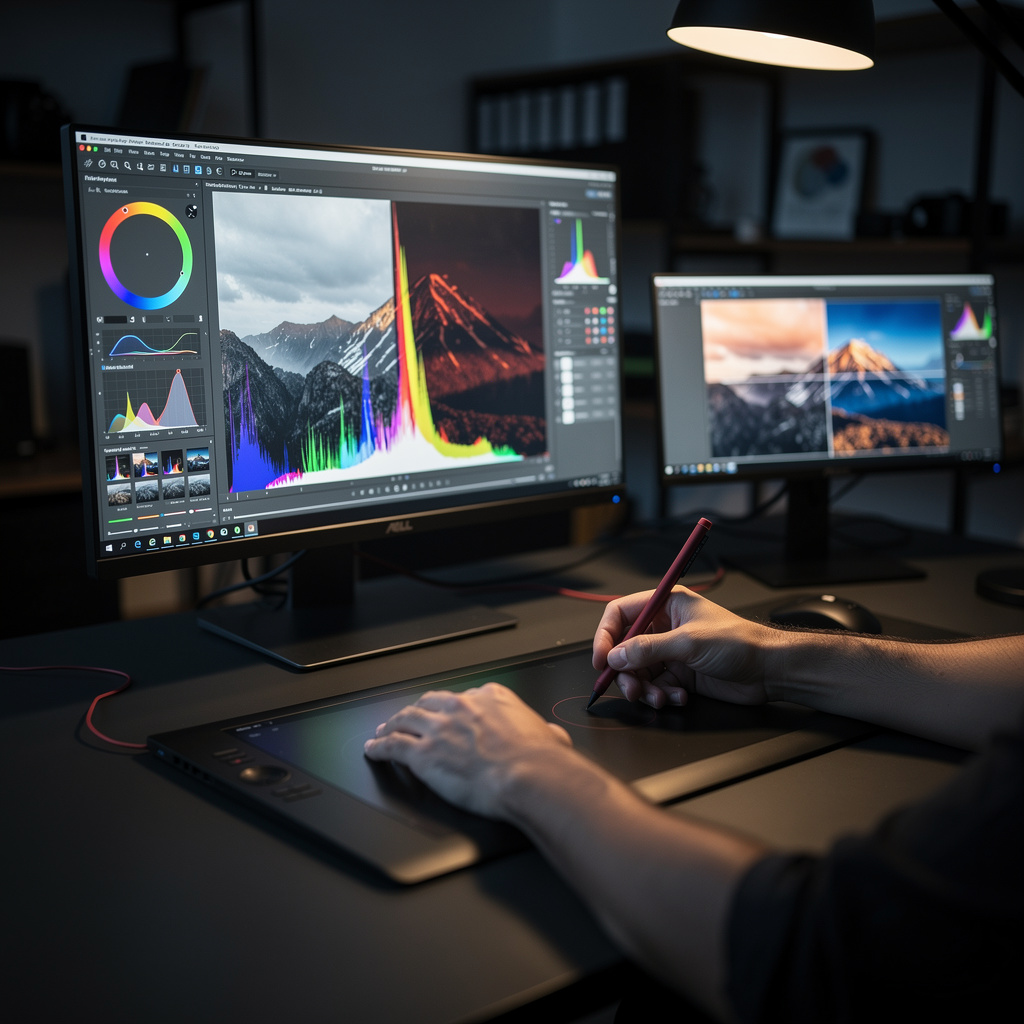
What is Color Editing for Photographers?
Color Editing for Photographers Training
The Color Editing for Photographers certificate program is designed to transform your understanding of color from a technical afterthought into a creative superpower. This course is for photographers at any level who want to move beyond basic sliders and gain true command over the color in their images. You will work through color theory fundamentals, color spaces, histograms, white balance, and both global and targeted corrections, all the way to advanced curves and channel techniques. By the end, you will be able to consistently produce images with intentional, professional-grade color that supports your artistic vision.
The program is structured as a beginner-friendly progression that balances theory with hands-on practice across five core skill areas: color science, correction workflows, skin tone mastery, creative grading, and output management. Each lesson builds on the previous one, starting with foundational concepts like color spaces and histograms before moving into advanced techniques such as curves, channel manipulation, and series-wide color consistency. This is the moment to invest in color editing because the demand for visually distinctive, color-accurate photography has never been higher across editorial, commercial, and fine-art markets. Choosing this program now means you will graduate with a portfolio-ready skill set that sets you apart in a crowded field.
What is Color Editing for Photographers?
Color editing for photographers is the disciplined practice of analyzing, correcting, and creatively shaping the color in a photograph to achieve a desired visual outcome. It encompasses a broad range of concepts, from the physics of light and color temperature to the mathematical frameworks of color spaces and profiles, and from the diagnostic power of histograms and color channels to the expressive potential of color grading. At its core, the subject is about understanding how color is recorded, how it is interpreted by software and hardware, and how it can be manipulated to serve both accuracy and artistic intent.
In today's visual landscape, color editing matters more than ever because audiences encounter photography across a vast array of screens, print materials, and social platforms, each with its own color characteristics. The rise of digital photography and the ubiquity of editing software have made color literacy a critical differentiator for professionals in fields like commercial photography, editorial work, wedding and portrait photography, and fine art. Recent shifts toward high-dynamic-range displays, wide-gamut color spaces, and the demand for consistent brand aesthetics have only increased the need for photographers who can manage color with precision and confidence.
Mastering this subject builds a skill stack that combines technical fluency with creative judgment, enabling photographers to troubleshoot color casts, match skin tones across a series, and evoke specific moods through deliberate grading choices. These competencies are invaluable for professionals who deliver work to clients with strict color requirements, for artists who use color as a narrative device, and for anyone who wants to elevate the emotional impact of their images. The subject ultimately bridges the gap between what a camera captures and what the eye perceives, giving photographers the tools to make color a deliberate, powerful part of their visual language.
Common Questions About Color Editing for Photographers
Will this color editing course benefit beginners with no editing experience?
Does the certificate from this photography editing course boost my resume?
How do I read an RGB histogram for accurate color correction?
Why is white balance important before making global color adjustments?
What's the difference between sRGB and Adobe RGB for photo editing?
How does split toning create a cinematic mood in color grading?
Is white balance just about fixing the color temperature?
What Will This Course Bring You?
- Analyze color theory fundamentals to predict how hue, saturation, and luminance interact in photographic compositions.
- Apply appropriate color space and profile settings to ensure accurate color reproduction across digital and print media.
- Interpret histograms and color channel data to diagnose exposure issues and color casts in raw images.
- Implement white balance corrections using color temperature and tint adjustments to achieve neutral tones in various lighting conditions.
- Execute global color corrections to adjust overall contrast, saturation, and brightness while preserving image detail and dynamic range.
- Design targeted color adjustments using masks and selection tools to modify specific image regions without affecting the entire photograph.
- Evaluate skin tone variations and apply correction techniques to achieve natural, consistent skin colors across portrait series.
- Build a cohesive color grading strategy using curves and channel mixing to convey mood and style in photographic series.
Curriculum
12 Units1. Color Theory Fundamentals
1 hour
2. Color Spaces and Profiles
1 hour
3. Reading Histograms and Color Channels
1 hour
4. White Balance and Color Temperature
1 hour
5. Global Color Corrections
1 hour
6. Targeted Color Adjustments
1 hour
7. Skin Tone Correction and Enhancement
1 hour
8. Color Grading for Mood and Style
1 hour
9. Creative Color Effects
1 hour
10. Advanced Color Techniques with Curves and Channels
1 hour
11. Color Consistency Across a Series
30 minutes
12. Output and Color Management for Print and Web
1 hour
Exam – Color Editing for Photographers
20 Questions • 70% Pass • 30 min
Unlock All Units for Free
Create an account, enroll in the course, and start with the first unit right away.
Exam – Color Editing for Photographers
20 Questions • Pass: 70% • 30 min
Course Duration
690
Total Minutes
12
Unit
1
Final Exam
~58
Min / Unit
Color Editing for Photographers Certificate Program
Document Your Skill
Those who pass the 20-question, 30-minute exam with 70% receive the Color Editing for Photographers Certificate.
Stand Out on Your CV
By adding your certificate to your CV, gain a professional reference in job applications and stand out from the crowd.
Career Advantage
With the verification code, employers can check your certificate instantly — a concrete way to show your growth.
CERTIFICATE FEE
At the end of the course, an online exam consisting of 20 questions with a 30-minute time limit is given. The exam appears automatically after you complete the topics. Anyone who scores at least 70 out of 100 on the certificate exam is awarded the Color Editing for Photographers Document (certificate of attendance). You can add the certificate you earn to your CV for job applications in the many sectors listed above, and use it as a reference proving that you took this interactive course.
The Certificate of Achievement you receive with the Color Editing for Photographers course program holds value that proves your personal and professional development in the business world. By adding it to your CV, it can serve as an important reference in your job applications. Moreover, compared with certificates from other private training institutions, Catch Wisdom certificates are offered to our participants at a much more affordable price.
The Color Editing for Photographers course certificate is a document that proves, with a unique verification code, that you completed the course. Employers can instantly check its authenticity with this code, which helps you show your development concretely in your job applications.
For more information, we recommend visiting the Support page.
Certificate in 7 Languages
Earning success certificates from our courses is now more meaningful and global. With certificates available in Turkish, English, German, French, Spanish, Arabic, and Russian, we fully unlock the potential of students worldwide.
Why Certificate in 7 Languages?
-
01
Global Skill Development
Receiving your certificates in 7 different languages strengthens your communication skills as you engage with more people worldwide. It lets you operate more confidently and capably on the international stage.
-
02
International Job Opportunities
Employers may see your certificates in multiple languages as a sign of your ability to seize global opportunities. You can open more doors to new jobs and projects.
-
03
Cultural Richness
The chance to earn certificates in different languages helps you build closer ties with various cultures and broadens your worldview. It enriches your global perspective and deepens cultural understanding.
-
04
Ability to Participate in International Projects
Multilingual certificates give you an edge to work more effectively on international projects. They boost your chances of leadership and participation in diverse projects in the business world.
-
05
Prove Yourself on the Global Stage
Certificates in multiple languages give you the opportunity to present your skills and knowledge worldwide.
Language diversity opens worldwide opportunities. If you want to prove yourself in the international arena, join our online Color Editing for Photographers course program and begin this journey with us.
Frequently Asked Questions (FAQ)
Is this course paid?
How do I join the course?
Can I take the course at my own pace?
How can I get my certificate?
What are the advantages of the certificate?
Boost Your Career
Take a new career step with the Color Editing for Photographers course. Add your certificate to your CV, stand out in job applications, and open the door to new opportunities in the industry.
StartStudent Reviews
No reviews yet
Enroll in this course and be the first to leave a review about your experience with Color Editing for Photographers.
Start