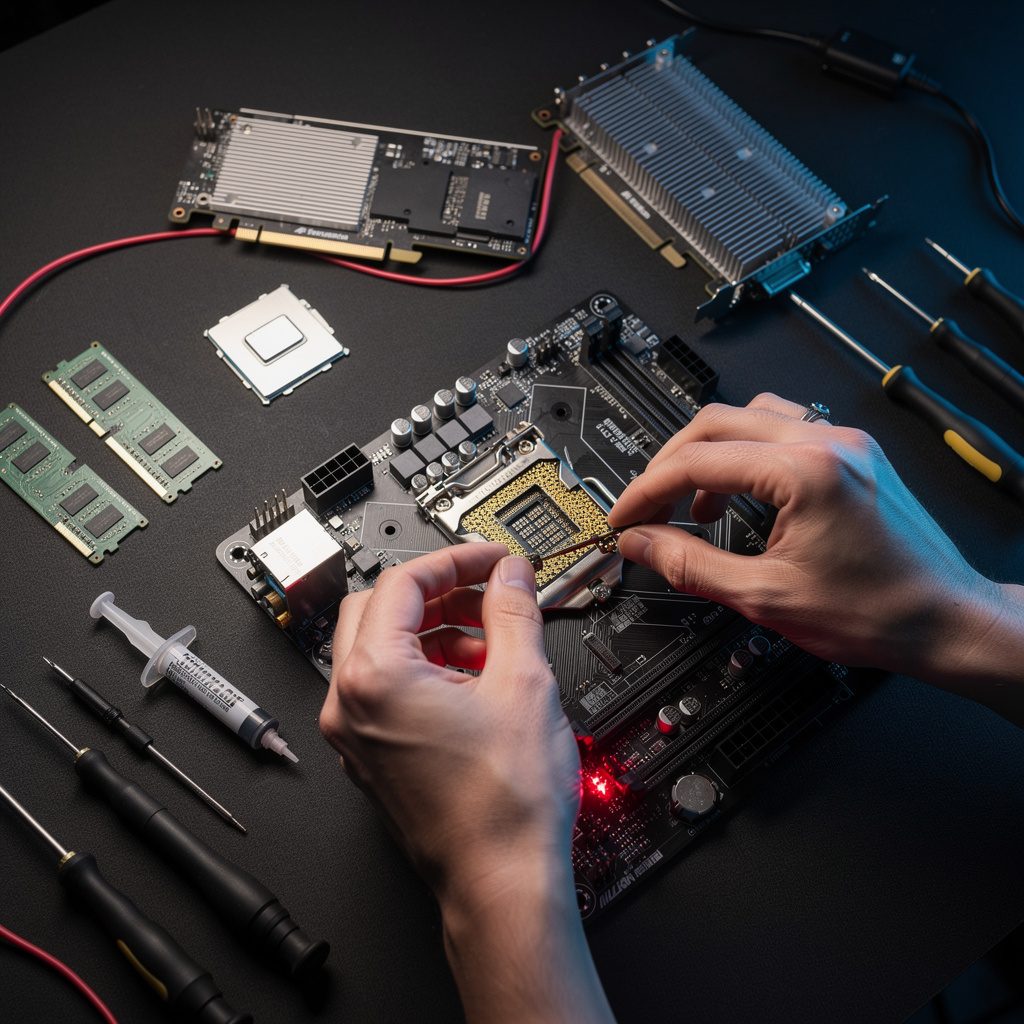
What is Computer Hardware Basics?
Computer Hardware Basics Certificate Program
Computer Hardware Basics certificate program provides a foundational education in the physical components that make computers function, from motherboards and CPUs to memory, storage, power supplies, and peripherals. It is designed for aspiring IT support technicians, hobbyist builders, career changers, and anyone who wants to understand how a PC fits together without prior electronics knowledge. The main practical outcome is the ability to identify, assemble, upgrade, and troubleshoot a desktop computer using industry-standard practices and compatibility rules.
The program follows a beginner-friendly progression that starts with system overviews and then moves into detailed component studies, always balancing theoretical explanations with hands-on assembly and diagnostic exercises. Learners build four core skill areas: component and architecture literacy, safe assembly and upgrade techniques, firmware and BIOS/UEFI navigation, and performance benchmarking for purpose-driven hardware selection. Because hardware evolves rapidly—with new CPU sockets, DDR5 memory, NVMe storage, and USB4 connectivity—this program equips learners with current, transferable knowledge that employers and personal projects demand right now.
What is Computer Hardware Basics?
Computer Hardware Basics is the study of the physical components and their interactions within a computing system, encompassing everything from the motherboard and chipset to the CPU, RAM, storage drives, power supply, cooling solutions, and expansion cards. Its core concepts include data flow through buses, instruction execution in processors, volatile versus non-volatile memory, power delivery and thermal management, and the protocols that govern ports, cables, and wireless connectivity. The scope also extends to firmware such as BIOS and UEFI, which initializes hardware and bridges it to the operating system, as well as the principles of compatibility, form factors, and performance benchmarking. Understanding these elements means grasping how a collection of discrete parts becomes a coherent, reliable machine.
Hardware basics matter today because nearly every industry depends on physical computing infrastructure, from cloud data centers and medical devices to gaming rigs and embedded controllers in cars. In IT support, field service, and system integration roles, professionals must diagnose failed RAM, replace aging HDDs with SSDs, manage airflow in dense racks, or select GPUs for AI workloads. Recent shifts—such as the transition from BIOS to UEFI, the rise of NVMe over SATA, integrated graphics capable of gaming, and the push for energy-efficient ARM-based systems—make continuous hardware literacy essential. Academia also relies on this knowledge for computer engineering, robotics, and cybersecurity labs where hardware-level vulnerabilities are studied. Without a firm grasp of hardware basics, even advanced software skills hit a ceiling.
Mastering Computer Hardware Basics builds a durable skill stack: component identification, safe electrostatic discharge practices, assembly and cable management, firmware configuration, systematic troubleshooting, and benchmark interpretation. These skills apply directly in professional contexts such as help desk technician, PC build consultant, field service engineer, and IT asset manager, where quick diagnosis and upgrade planning save time and money. On a personal level, the same knowledge empowers individuals to build custom PCs, revive older machines, optimize performance for gaming or content creation, and avoid costly repair bills. The subject also serves as a gateway to advanced topics like server hardware, embedded systems, and hardware security. Ultimately, it turns abstract specs into practical decisions about reliability, speed, and cost.
What Will This Course Bring You?
- Explain how CPU, RAM, storage, motherboard, PSU, and cooling components interact to form a working computer system.
- Analyze motherboard form factors, chipsets, and bus types to trace data flow between processor, memory, and peripherals.
- Evaluate CPU specifications such as cores, clock speed, cache, and instruction flow when matching processors to workloads.
- Differentiate RAM, ROM, SSD, and HDD characteristics to recommend memory and storage configurations for performance and capacity needs.
- Design a power, cooling, and airflow plan that maintains safe temperatures and stable power delivery for a custom PC build.
- Install graphics, audio, and expansion cards by verifying slot compatibility, driver requirements, and bandwidth limitations.
- Connect peripherals and networking devices using correct ports, cables, and wireless standards for reliable input, output, and connectivity.
- Build or upgrade a compatible PC, configure BIOS/UEFI firmware, and diagnose hardware faults using preventive maintenance and benchmark results.
Curriculum
12 Units1. What Computer Hardware Is and How a System Fits Together
1 hour
2. Motherboards, Chipsets, and Buses
1 hour
3. CPUs: Cores, Clock Speed, and Instruction Flow
1 hour
4. Memory and Storage: RAM, ROM, SSDs, and HDDs
1 hour
5. Power Supplies, Cooling, and Case Airflow
1 hour
6. Graphics, Audio, and Expansion Cards
1 hour
7. Input, Output, and Peripheral Devices
1 hour
8. Ports, Cables, and Wireless Connectivity
1 hour
9. Building and Upgrading a PC: Compatibility and Assembly
1 hour
10. BIOS, UEFI, and Firmware Basics
1 hour
11. Diagnosing Hardware Problems and Preventive Maintenance
1 hour
12. Performance, Benchmarks, and Choosing Hardware for a Purpose
1 hour
Exam – Computer Hardware Basics
20 Questions • 70% Pass • 30 min
Unlock All Units for Free
Create an account, enroll in the course, and start with the first unit right away.
Exam – Computer Hardware Basics
20 Questions • Pass: 70% • 30 min
Course Duration
720
Total Minutes
12
Unit
1
Final Exam
~60
Min / Unit
Computer Hardware Basics Certificate Program
Document Your Skill
Those who pass the 20-question, 30-minute exam with 70% receive the Computer Hardware Basics Certificate.
Stand Out on Your CV
By adding your certificate to your CV, gain a professional reference in job applications and stand out from the crowd.
Career Advantage
Catch Wisdom certificates are recognized by HR departments and increase career opportunities.
CERTIFICATE FEE
At the end of the course, an online exam consisting of 20 questions with a 30-minute time limit is given. The exam appears automatically after you complete the topics. Anyone who scores at least 70 out of 100 on the certificate exam is awarded the Computer Hardware Basics Document (certificate of attendance). You can add the certificate you earn to your CV for job applications in the many sectors listed above, and use it as a reference proving that you took this interactive course.
The Certificate of Achievement you receive with the Computer Hardware Basics course program holds value that proves your personal and professional development in the business world. By adding it to your CV, it can serve as an important reference in your job applications. Moreover, compared with certificates from other private training institutions, Catch Wisdom certificates are offered to our participants at a much more affordable price.
Because HR departments recognize Catch Wisdom as a reputable institution in this field, they value these certificates and may evaluate your job applications favorably. For this reason, a Computer Hardware Basics course certificate from Catch Wisdom can make your applications more attractive and place you in an advantageous position in the business world.
For more information, we recommend visiting the Support page.
Certificate in 7 Languages
Earning success certificates from our courses is now more meaningful and global. With certificates available in Turkish, English, German, French, Spanish, Arabic, and Russian, we fully unlock the potential of students worldwide.
Why Certificate in 7 Languages?
-
01
Global Skill Development
Receiving your certificates in 7 different languages strengthens your communication skills as you engage with more people worldwide. It lets you operate more confidently and capably on the international stage.
-
02
International Job Opportunities
Employers may see your certificates in multiple languages as a sign of your ability to seize global opportunities. You can open more doors to new jobs and projects.
-
03
Cultural Richness
The chance to earn certificates in different languages helps you build closer ties with various cultures and broadens your worldview. It enriches your global perspective and deepens cultural understanding.
-
04
Ability to Participate in International Projects
Multilingual certificates give you an edge to work more effectively on international projects. They boost your chances of leadership and participation in diverse projects in the business world.
-
05
Prove Yourself on the Global Stage
Certificates in multiple languages let you showcase your skills and knowledge worldwide. You can become an internationally recognized professional.
Language diversity opens worldwide opportunities. If you want to prove yourself in the international arena, join our online Computer Hardware Basics course program and begin this journey with us.
Frequently Asked Questions (FAQ)
Is this course paid?
How do I join the course?
Can I take the course at my own pace?
How can I get my certificate?
What are the advantages of the Certified Certificate?
Boost Your Career
Take a new career step with the Computer Hardware Basics course. Add your certificate to your CV, stand out in job applications, and open the door to new opportunities in the industry.
StartStudent Reviews
No reviews yet
Enroll in this course and be the first to leave a review about your experience with Computer Hardware Basics.
Start