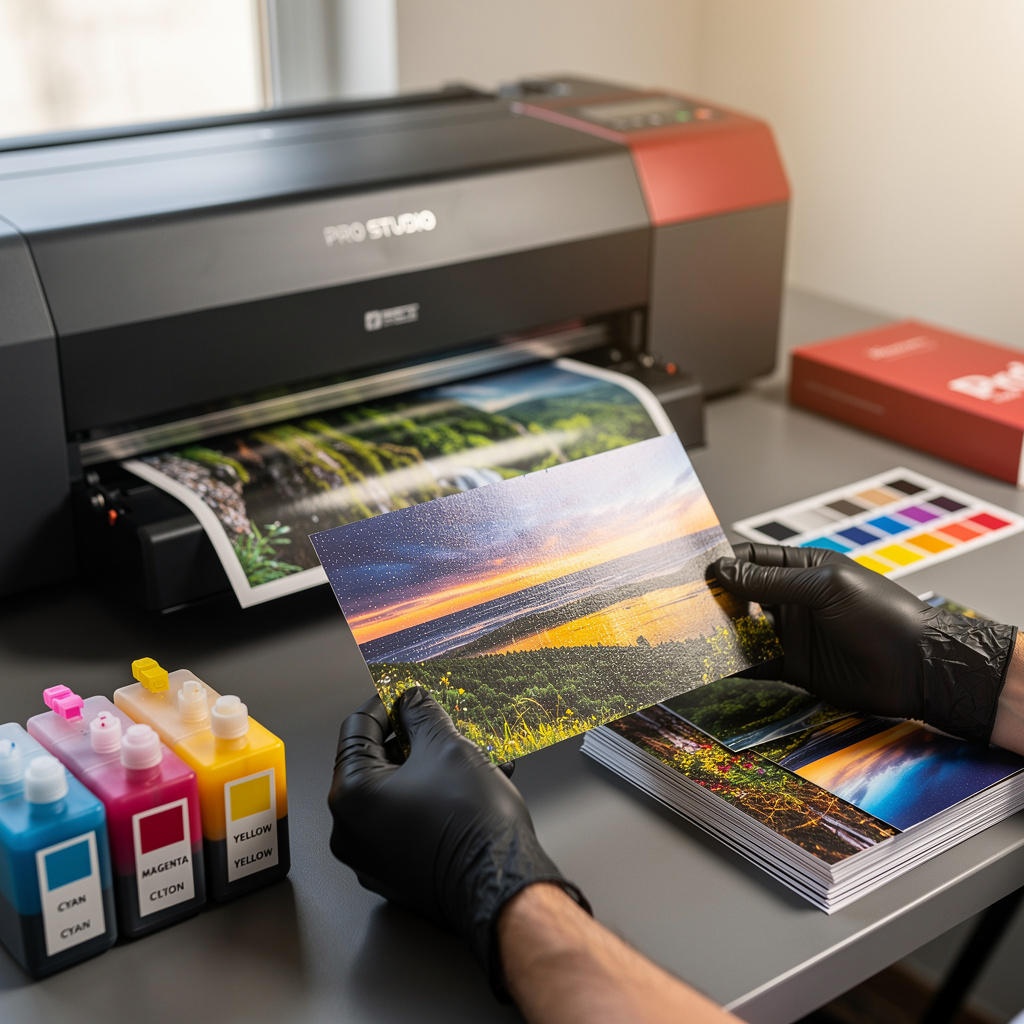
What is Printing Your Photos?
Printing Your Photos Training
The Printing Your Photos certificate program is a comprehensive, hands-on training designed to take you from digital files to stunning physical prints with confidence and precision. This course teaches the complete photo printing workflow, from color management and file preparation to selecting the right paper and mastering home printers or professional labs. It is ideal for photographers, hobbyists, and creative professionals who want to produce gallery-quality prints that match their on-screen vision. By the end, you will have the practical skills to print your own work at home or through a lab, with consistent color and sharpness.
The program is structured as a beginner-friendly progression, starting with the fundamentals of the printing workflow and color management, then moving into image preparation, paper selection, and printer/ink choices. You will build core skills in soft proofing, test prints, and troubleshooting, while also exploring advanced techniques like fine-art printing and finishing. With lessons covering both home printing and professional lab services, this course balances theory with step-by-step practice, making it the perfect choice for anyone looking to elevate their photography beyond the screen.
What is Printing Your Photos?
Printing your photos is the process of transforming digital image files into tangible, physical prints that accurately represent the original scene and artistic intent. It encompasses a range of disciplines, including color management, image resolution, paper characteristics, and printer technology. Core concepts include ICC profiles, color spaces, inkjet vs. dye-sublimation, and the importance of soft proofing to predict output.
In today's digital-first world, printing has become a niche but essential skill for photographers who want to sell prints, exhibit work, or create lasting personal keepsakes. With the rise of fine-art printing and the availability of high-quality home printers, the gap between screen and print has narrowed, yet challenges remain in achieving consistent color across devices. Professional labs and online services also rely on standardized workflows, making this knowledge valuable for anyone working in photography, graphic design, or digital art.
Mastering photo printing builds a skill stack that includes color accuracy, file optimization, and material selection, which are directly applicable to careers in photography, print production, and creative entrepreneurship. For personal use, it empowers you to create framed prints, albums, and gifts that preserve memories with exceptional quality. Whether you are a professional seeking to offer print services or an enthusiast wanting to see your work in physical form, this subject bridges the digital and analog worlds, giving you full control over the final output.
Common Questions About Printing Your Photos
Will this photo printing course help me start printing at home confidently?
Is this printing your photos course suitable for complete beginners?
Why do prints look darker than the screen in photo printing?
- Calibrate your monitor to a standard brightness level that matches print viewing conditions.
- Use soft proofing with ICC profiles to preview how brightness and contrast will shift on paper.
- Make test prints and compare them to your screen under consistent lighting.
What is the difference between PPI and DPI in photo printing?
How does soft proofing work with ICC profiles in printing?
Which paper finish gives the most vibrant colors: glossy or luster?
Is 300 PPI always required for sharp photo prints?
What Will This Course Bring You?
- Analyze the complete photo printing workflow to identify critical checkpoints for quality control.
- Apply color management principles to calibrate devices and ensure accurate color reproduction.
- Prepare image files by optimizing resolution, sharpening, and color space for specific print sizes.
- Evaluate various paper types to select the optimal finish, weight, and texture for each photographic print.
- Implement soft proofing and test print procedures to predict and correct color shifts before final output.
- Execute a step-by-step home printing process using correct printer settings, ink, and paper handling.
- Compare home printing and professional lab services to determine the most effective method for different print projects.
- Apply advanced printing techniques such as black-and-white conversion and fine-art reproduction to enhance print quality.
Curriculum
12 Units1. The Photo Printing Workflow
1 hour
2. Color Management Essentials
1 hour
3. Preparing Your Image Files
1 hour
4. Selecting the Right Paper
1 hour
5. Home Printers and Inks
1 hour
6. Print Preparation in Editing Software
1 hour
7. Soft Proofing and Test Prints
1 hour
8. Printing at Home: Step by Step
1 hour
9. Using Professional Photo Labs
1 hour
10. Advanced Printing Techniques
1 hour
11. Finishing and Presenting Your Prints
1 hour
12. Troubleshooting and Maintaining Quality
1 hour
Exam – Printing Your Photos
20 Questions • 70% Pass • 30 min
Unlock All Units for Free
Create an account, enroll in the course, and start with the first unit right away.
Exam – Printing Your Photos
20 Questions • Pass: 70% • 30 min
Course Duration
720
Total Minutes
12
Unit
1
Final Exam
~60
Min / Unit
Printing Your Photos Certificate Program
Document Your Skill
Those who pass the 20-question, 30-minute exam with 70% receive the Printing Your Photos Certificate.
Stand Out on Your CV
By adding your certificate to your CV, gain a professional reference in job applications and stand out from the crowd.
Career Advantage
Catch Wisdom certificates are recognized by HR departments and increase career opportunities.
CERTIFICATE FEE
At the end of the course, an online exam consisting of 20 questions with a 30-minute time limit is given. The exam appears automatically after you complete the topics. Anyone who scores at least 70 out of 100 on the certificate exam is awarded the Printing Your Photos Document (certificate of attendance). You can add the certificate you earn to your CV for job applications in the many sectors listed above, and use it as a reference proving that you took this interactive course.
The Certificate of Achievement you receive with the Printing Your Photos course program holds value that proves your personal and professional development in the business world. By adding it to your CV, it can serve as an important reference in your job applications. Moreover, compared with certificates from other private training institutions, Catch Wisdom certificates are offered to our participants at a much more affordable price.
Because HR departments recognize Catch Wisdom as a reputable institution in this field, they value these certificates and may evaluate your job applications favorably. For this reason, a Printing Your Photos course certificate from Catch Wisdom can make your applications more attractive and place you in an advantageous position in the business world.
For more information, we recommend visiting the Support page.
Certificate in 7 Languages
Earning success certificates from our courses is now more meaningful and global. With certificates available in Turkish, English, German, French, Spanish, Arabic, and Russian, we fully unlock the potential of students worldwide.
Why Certificate in 7 Languages?
-
01
Global Skill Development
Receiving your certificates in 7 different languages strengthens your communication skills as you engage with more people worldwide. It lets you operate more confidently and capably on the international stage.
-
02
International Job Opportunities
Employers may see your certificates in multiple languages as a sign of your ability to seize global opportunities. You can open more doors to new jobs and projects.
-
03
Cultural Richness
The chance to earn certificates in different languages helps you build closer ties with various cultures and broadens your worldview. It enriches your global perspective and deepens cultural understanding.
-
04
Ability to Participate in International Projects
Multilingual certificates give you an edge to work more effectively on international projects. They boost your chances of leadership and participation in diverse projects in the business world.
-
05
Prove Yourself on the Global Stage
Certificates in multiple languages let you showcase your skills and knowledge worldwide. You can become an internationally recognized professional.
Language diversity opens worldwide opportunities. If you want to prove yourself in the international arena, join our online Printing Your Photos course program and begin this journey with us.
Frequently Asked Questions (FAQ)
Is this course paid?
How do I join the course?
Can I take the course at my own pace?
How can I get my certificate?
What are the advantages of the Certified Certificate?
Boost Your Career
Take a new career step with the Printing Your Photos course. Add your certificate to your CV, stand out in job applications, and open the door to new opportunities in the industry.
StartStudent Reviews
No reviews yet
Enroll in this course and be the first to leave a review about your experience with Printing Your Photos.
Start