What is Vector Illustration?
Vector Illustration Training
Vector Illustration certificate program teaches the complete workflow for creating crisp, scalable artwork using industry-standard vector tools. It covers foundational concepts like vector graphics fundamentals, workspace navigation, geometric shapes and boolean operations, and path construction with the pen tool, then advances to editing paths, stroke and fill attributes, color gradients, typography, composition, and visual hierarchy. The curriculum also addresses specialized applications such as icons, logos, scalable marks, shading, texture, depth, patterns, brushes, and professional export. It is designed for aspiring graphic designers, illustrators, UI/UX designers, marketers, and hobbyists who want to move beyond pixel-based editing. The main practical outcome is the ability to produce production-ready vector assets—logos, icons, illustrations, and patterns—that remain sharp at any size and are suitable for print, web, and motion design.
The program is structured as a beginner-friendly progression, starting with vector graphics fundamentals and workspace navigation before moving into shape building, pen tool mastery, and path refinement. It balances conceptual theory—such as how bezier curves and boolean operations work—with hands-on practice in every lesson, ensuring learners apply each concept immediately. Across the twelve lessons, the curriculum builds five core skill areas: foundational vector mechanics, precise path editing, visual styling with stroke, fill, color, and gradients, compositional and typographic design, and professional output including patterns, brushes, and export. Choosing this program now makes sense because vector skills are increasingly essential for responsive web design, scalable branding systems, and cross-platform digital products. The demand for clean, resolution-independent graphics continues to grow across design, marketing, and product teams.
What is Vector Illustration?
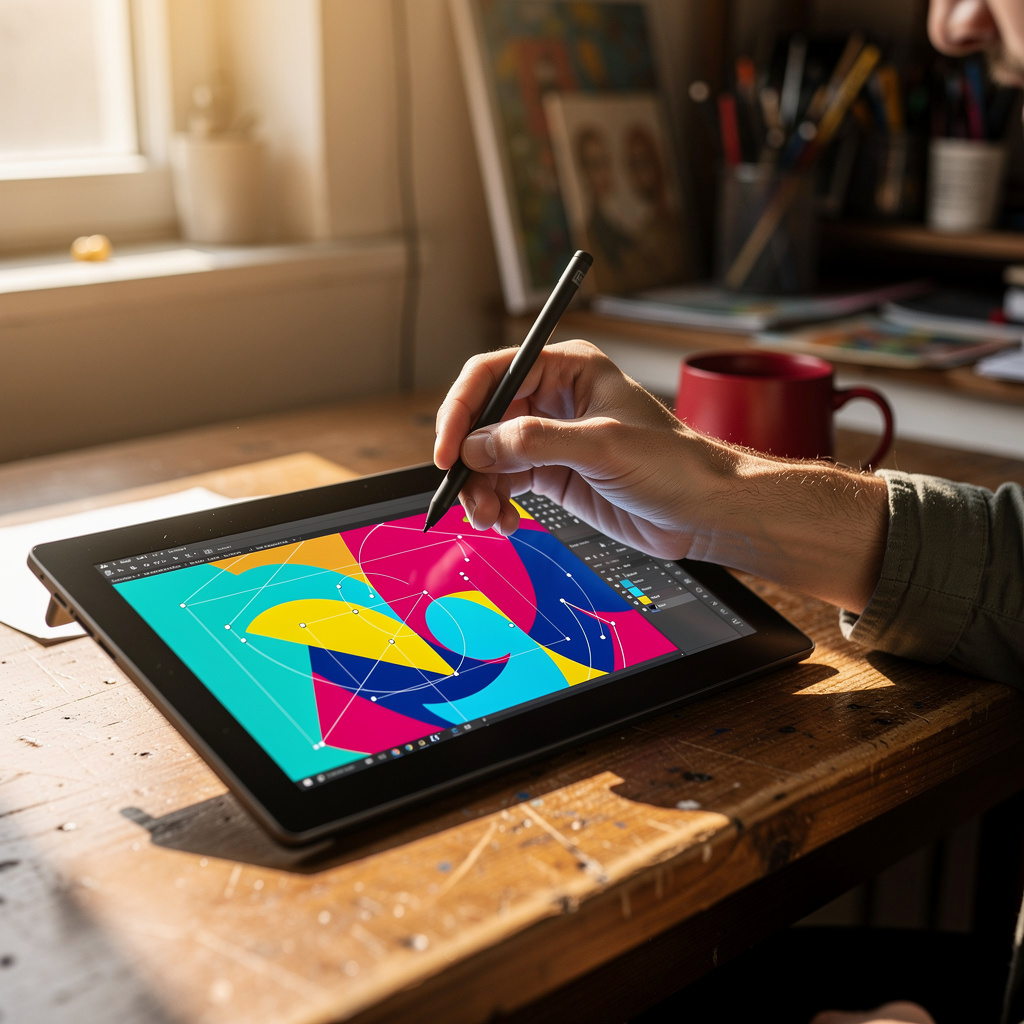
Vector illustration is the practice of creating digital artwork using mathematical paths—defined by anchor points, control handles, and geometric primitives—rather than a grid of pixels. Its scope spans everything from simple icons and logos to complex editorial illustrations, technical diagrams, and repeating patterns. Core concepts include bezier curves, path direction, fill and stroke attributes, boolean operations for combining or subtracting shapes, and the resolution independence that allows artwork to scale infinitely without loss of quality. Vector illustration also encompasses color management through swatches and gradients, typography as vector outlines or live text, and the use of brushes and symbols for efficient repetition. Unlike raster graphics, which degrade when enlarged, vector files store instructions for rendering shapes, making them ideal for any output size.
Vector illustration matters today because nearly every digital interface, brand identity, and print product relies on scalable graphics that look sharp on screens of all sizes. In industry, it is foundational for logo design, icon systems, user interface assets, infographics, wayfinding signage, and motion graphics, where files must be edited and animated without quality loss. Academia uses vector illustration in fields like architecture, engineering, and data visualization, where precise, editable diagrams are essential. Recent shifts include the rise of SVG as a native web format, AI-assisted vector tracing and generation tools, and a growing emphasis on responsive design systems that demand consistent vector assets. Designers now routinely collaborate across Figma, Illustrator, and code-based environments, making vector fluency a baseline expectation rather than a niche skill.
Mastering vector illustration builds a durable skill stack: precise spatial reasoning, an understanding of path mathematics, efficient file organization, color theory application, and the ability to translate rough concepts into clean, editable artwork. These skills benefit professional contexts such as brand identity design, UI/UX asset creation, editorial illustration, packaging, motion graphics, and game art, where scalability and editability are non-negotiable. Personal contexts also gain—entrepreneurs can create their own logos and marketing materials, hobbyists can produce print-on-demand designs, and educators can build custom diagrams and classroom resources. Because vector files are lightweight and adaptable, the skill stack supports rapid iteration and cross-team collaboration. Ultimately, vector illustration empowers anyone to produce professional-grade visuals that remain crisp from a favicon to a billboard.
What Will This Course Bring You?
- Analyze vector graphics fundamentals to distinguish raster and vector behavior when planning scalable illustration projects.
- Configure workspaces, document settings, and navigation tools to efficiently manage artboards and layers throughout a vector illustration workflow.
- Apply geometric shapes and Boolean operations to construct precise compound forms, including united, subtracted, intersected, and excluded vector objects.
- Build complex paths with the Pen tool by placing anchor points and adjusting Bezier handles to create smooth, accurate vector outlines.
- Refine existing paths using editing tools to simplify curves, join segments, and correct anchor point placement for clean vector artwork.
- Evaluate stroke, fill, and appearance settings to create consistent visual styles across multiple objects without altering underlying path geometry.
- Design typography and lettering treatments that integrate color, gradients, and swatches while maintaining legibility and visual hierarchy in vector compositions.
- Implement shading, texture, patterns, and brushes to add depth to icons, logos, and scalable marks, then export professional vector files.
Curriculum
12 Units1. Vector Graphics Fundamentals
1 hour
2. Workspace, Documents, and Navigation
1 hour
3. Geometric Shapes and Boolean Operations
1 hour
4. Path Construction with the Pen Tool
1 hour
5. Editing and Refining Paths
1 hour
6. Stroke, Fill, and Appearance
1 hour
7. Color, Gradients, and Swatches
1 hour
8. Typography and Lettering
1 hour
9. Composition and Visual Hierarchy
1 hour
10. Icons, Logos, and Scalable Marks
1 hour
11. Shading, Texture, and Depth
1 hour
12. Patterns, Brushes, and Professional Export
1 hour
Exam – Vector Illustration
20 Questions • 70% Pass • 30 min
Unlock All Units for Free
Create an account, enroll in the course, and start with the first unit right away.
Exam – Vector Illustration
20 Questions • Pass: 70% • 30 min
Course Duration
720
Total Minutes
12
Unit
1
Final Exam
~60
Min / Unit
Vector Illustration Certificate Program
Document Your Skill
Those who pass the 20-question, 30-minute exam with 70% receive the Vector Illustration Certificate.
Stand Out on Your CV
By adding your certificate to your CV, gain a professional reference in job applications and stand out from the crowd.
Career Advantage
With the verification code, employers can check your certificate instantly — a concrete way to show your growth.
CERTIFICATE FEE
At the end of the course, an online exam consisting of 20 questions with a 30-minute time limit is given. The exam appears automatically after you complete the topics. Anyone who scores at least 70 out of 100 on the certificate exam is awarded the Vector Illustration Document (certificate of attendance). You can add the certificate you earn to your CV for job applications in the many sectors listed above, and use it as a reference proving that you took this interactive course.
The Certificate of Achievement you receive with the Vector Illustration course program holds value that proves your personal and professional development in the business world. By adding it to your CV, it can serve as an important reference in your job applications. Moreover, compared with certificates from other private training institutions, Catch Wisdom certificates are offered to our participants at a much more affordable price.
The Vector Illustration course certificate is a document that proves, with a unique verification code, that you completed the course. Employers can instantly check its authenticity with this code, which helps you show your development concretely in your job applications.
For more information, we recommend visiting the Support page.
Certificate in 7 Languages
Earning success certificates from our courses is now more meaningful and global. With certificates available in Turkish, English, German, French, Spanish, Arabic, and Russian, we fully unlock the potential of students worldwide.
Why Certificate in 7 Languages?
-
01
Global Skill Development
Receiving your certificates in 7 different languages strengthens your communication skills as you engage with more people worldwide. It lets you operate more confidently and capably on the international stage.
-
02
International Job Opportunities
Employers may see your certificates in multiple languages as a sign of your ability to seize global opportunities. You can open more doors to new jobs and projects.
-
03
Cultural Richness
The chance to earn certificates in different languages helps you build closer ties with various cultures and broadens your worldview. It enriches your global perspective and deepens cultural understanding.
-
04
Ability to Participate in International Projects
Multilingual certificates give you an edge to work more effectively on international projects. They boost your chances of leadership and participation in diverse projects in the business world.
-
05
Prove Yourself on the Global Stage
Certificates in multiple languages give you the opportunity to present your skills and knowledge worldwide.
Language diversity opens worldwide opportunities. If you want to prove yourself in the international arena, join our online Vector Illustration course program and begin this journey with us.
Frequently Asked Questions (FAQ)
Is this course paid?
How do I join the course?
Can I take the course at my own pace?
How can I get my certificate?
What are the advantages of the certificate?
Boost Your Career
Take a new career step with the Vector Illustration course. Add your certificate to your CV, stand out in job applications, and open the door to new opportunities in the industry.
StartStudent Reviews
No reviews yet
Enroll in this course and be the first to leave a review about your experience with Vector Illustration.
Start