What is Portrait Retouching?
Portrait Retouching Training
The Portrait Retouching certificate program is a comprehensive, project-based training designed for photographers, digital artists, and beauty industry professionals who want to master the art of flawless, natural-looking portrait enhancement. This course takes you from the foundational principles of non-destructive editing to advanced creative techniques, ensuring you can confidently handle any portrait with precision and artistic intent. By the end of the program, you will have a polished portfolio piece and a repeatable professional workflow that ensures high-quality results for clients or personal projects.
The program is structured to guide you through a logical, beginner-friendly progression that balances technical theory with hands-on practice. You will build a robust skill stack across five core areas: color science and correction, skin texture and tone management, facial feature enhancement, creative styling, and professional workflow optimization. With dedicated lessons on frequency separation, dodge and burn sculpting, and advanced makeup retouching, this training goes beyond simple spot removal to teach you the artistry behind editorial and commercial imagery. Choosing this program now equips you with the industry-standard techniques demanded by modern photography studios and retouching agencies, ensuring your skills remain relevant in a competitive digital landscape.
What is Portrait Retouching?
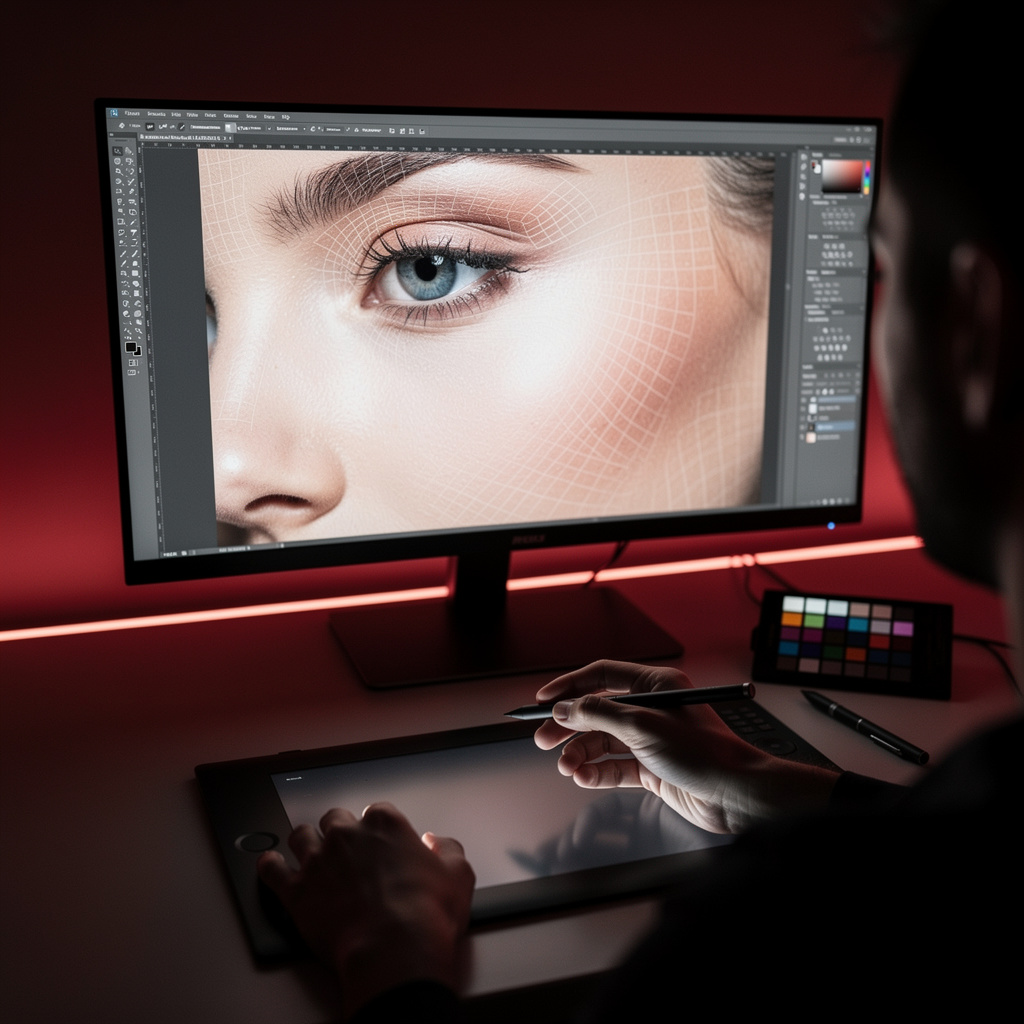
Portrait retouching is the specialized discipline of enhancing and refining photographic portraits while maintaining the subject's inherent likeness and character. It encompasses a wide range of technical and artistic processes, from correcting color casts and balancing white balance to the meticulous removal of blemishes and the sculpting of light and shadow. Core concepts include non-destructive editing, frequency separation for separating texture from tone, and dodging and burning to control the perception of form and dimension within the face. The goal is not to create a fake representation, but to produce a polished, high-quality image that highlights the best version of the subject.
In today's visually-driven market, portrait retouching is more relevant than ever, serving as a critical final step in professional photography across fashion editorials, commercial advertising, wedding photography, and social media branding. The rise of high-resolution digital cameras and the demand for flawless imagery on digital platforms have made skilled retouching a non-negotiable requirement for industry professionals. Recent shifts toward "authentic" beauty standards have also transformed the field, moving away from heavy, plastic-looking airbrushing toward sophisticated, skin-realistic techniques that preserve natural texture. This evolution makes the retoucher's role more nuanced, requiring a deep understanding of both technical software and human aesthetics.
Mastering portrait retouching builds a versatile skill stack that combines technical proficiency in software like Adobe Photoshop with a refined artistic eye for color, light, and anatomy. This subject empowers you to take creative control over your imagery, allowing you to evoke specific moods, enhance storytelling, and deliver a consistent, professional signature style. For photographers, it completes the image-making process; for digital artists, it opens doors to beauty and commercial work; and for entrepreneurs, it provides a valuable service that can be offered to a wide range of clients. The knowledge gained here directly translates into tangible professional outcomes, from higher client satisfaction to the ability to produce portfolio-grade work that stands out in any creative industry.
Common Questions About Portrait Retouching
Will this portrait retouching course help me get a retouching job?
Can a beginner without Photoshop experience join this retouching course?
How does frequency separation split texture and tone in skin retouching?
Here’s the core concept:
- Low-frequency layer: Controls the overall color and tonal transitions; you can adjust this to even out redness or discoloration.
- High-frequency layer: Holds the fine detail; you can clean up spots or wrinkles here without smudging the underlying color.
What is the best way to use layer masks in non-destructive retouching?
Why is white balance important for natural skin tones in portrait retouching?
How to apply dodge and burn for face sculpting without ruining skin texture?
Does portrait retouching always mean removing every blemish from the skin?
What Will This Course Bring You?
- Implement a non-destructive retouching workflow using adjustment layers and masks to preserve original image data.
- Apply color correction and white balance techniques to achieve accurate skin tones and neutral highlights in portraits.
- Utilize healing and cloning tools to remove blemishes and spots while maintaining natural skin texture.
- Apply frequency separation to separate texture from tone for advanced skin retouching without losing detail.
- Use dodge and burn techniques to sculpt facial contours and enhance lighting in portrait photography.
- Enhance eye clarity, brightness, and color while preserving natural iris detail and reflections.
- Retouch teeth and smile by whitening, reshaping, and correcting color for a natural, appealing appearance.
- Refine hair by removing flyaways, adding volume, and correcting color using advanced selection and painting techniques.
Curriculum
12 Units1. Non-Destructive Retouching Workflow
1 hour
2. Color Correction and White Balance
1 hour
3. Blemish and Spot Removal
1 hour
4. Frequency Separation for Skin
1 hour
5. Dodge and Burn for Portrait Sculpting
1 hour
6. Eye Retouching
1 hour
7. Teeth and Smile Retouching
1 hour
8. Hair Retouching
1 hour
9. Makeup and Beauty Retouching
1 hour
10. Advanced Skin Retouching
1 hour
11. Creative and Artistic Retouching
1 hour
12. Final Project and Professional Workflow
1 hour
Exam – Portrait Retouching
20 Questions • 70% Pass • 30 min
Unlock All Units for Free
Create an account, enroll in the course, and start with the first unit right away.
Exam – Portrait Retouching
20 Questions • Pass: 70% • 30 min
Course Duration
720
Total Minutes
12
Unit
1
Final Exam
~60
Min / Unit
Portrait Retouching Certificate Program
Document Your Skill
Those who pass the 20-question, 30-minute exam with 70% receive the Portrait Retouching Certificate.
Stand Out on Your CV
By adding your certificate to your CV, gain a professional reference in job applications and stand out from the crowd.
Career Advantage
Catch Wisdom certificates are recognized by HR departments and increase career opportunities.
CERTIFICATE FEE
At the end of the course, an online exam consisting of 20 questions with a 30-minute time limit is given. The exam appears automatically after you complete the topics. Anyone who scores at least 70 out of 100 on the certificate exam is awarded the Portrait Retouching Document (certificate of attendance). You can add the certificate you earn to your CV for job applications in the many sectors listed above, and use it as a reference proving that you took this interactive course.
The Certificate of Achievement you receive with the Portrait Retouching course program holds value that proves your personal and professional development in the business world. By adding it to your CV, it can serve as an important reference in your job applications. Moreover, compared with certificates from other private training institutions, Catch Wisdom certificates are offered to our participants at a much more affordable price.
Because HR departments recognize Catch Wisdom as a reputable institution in this field, they value these certificates and may evaluate your job applications favorably. For this reason, a Portrait Retouching course certificate from Catch Wisdom can make your applications more attractive and place you in an advantageous position in the business world.
For more information, we recommend visiting the Support page.
Certificate in 7 Languages
Earning success certificates from our courses is now more meaningful and global. With certificates available in Turkish, English, German, French, Spanish, Arabic, and Russian, we fully unlock the potential of students worldwide.
Why Certificate in 7 Languages?
-
01
Global Skill Development
Receiving your certificates in 7 different languages strengthens your communication skills as you engage with more people worldwide. It lets you operate more confidently and capably on the international stage.
-
02
International Job Opportunities
Employers may see your certificates in multiple languages as a sign of your ability to seize global opportunities. You can open more doors to new jobs and projects.
-
03
Cultural Richness
The chance to earn certificates in different languages helps you build closer ties with various cultures and broadens your worldview. It enriches your global perspective and deepens cultural understanding.
-
04
Ability to Participate in International Projects
Multilingual certificates give you an edge to work more effectively on international projects. They boost your chances of leadership and participation in diverse projects in the business world.
-
05
Prove Yourself on the Global Stage
Certificates in multiple languages let you showcase your skills and knowledge worldwide. You can become an internationally recognized professional.
Language diversity opens worldwide opportunities. If you want to prove yourself in the international arena, join our online Portrait Retouching course program and begin this journey with us.
Frequently Asked Questions (FAQ)
Is this course paid?
How do I join the course?
Can I take the course at my own pace?
How can I get my certificate?
What are the advantages of the Certified Certificate?
Boost Your Career
Take a new career step with the Portrait Retouching course. Add your certificate to your CV, stand out in job applications, and open the door to new opportunities in the industry.
StartStudent Reviews
No reviews yet
Enroll in this course and be the first to leave a review about your experience with Portrait Retouching.
Start